

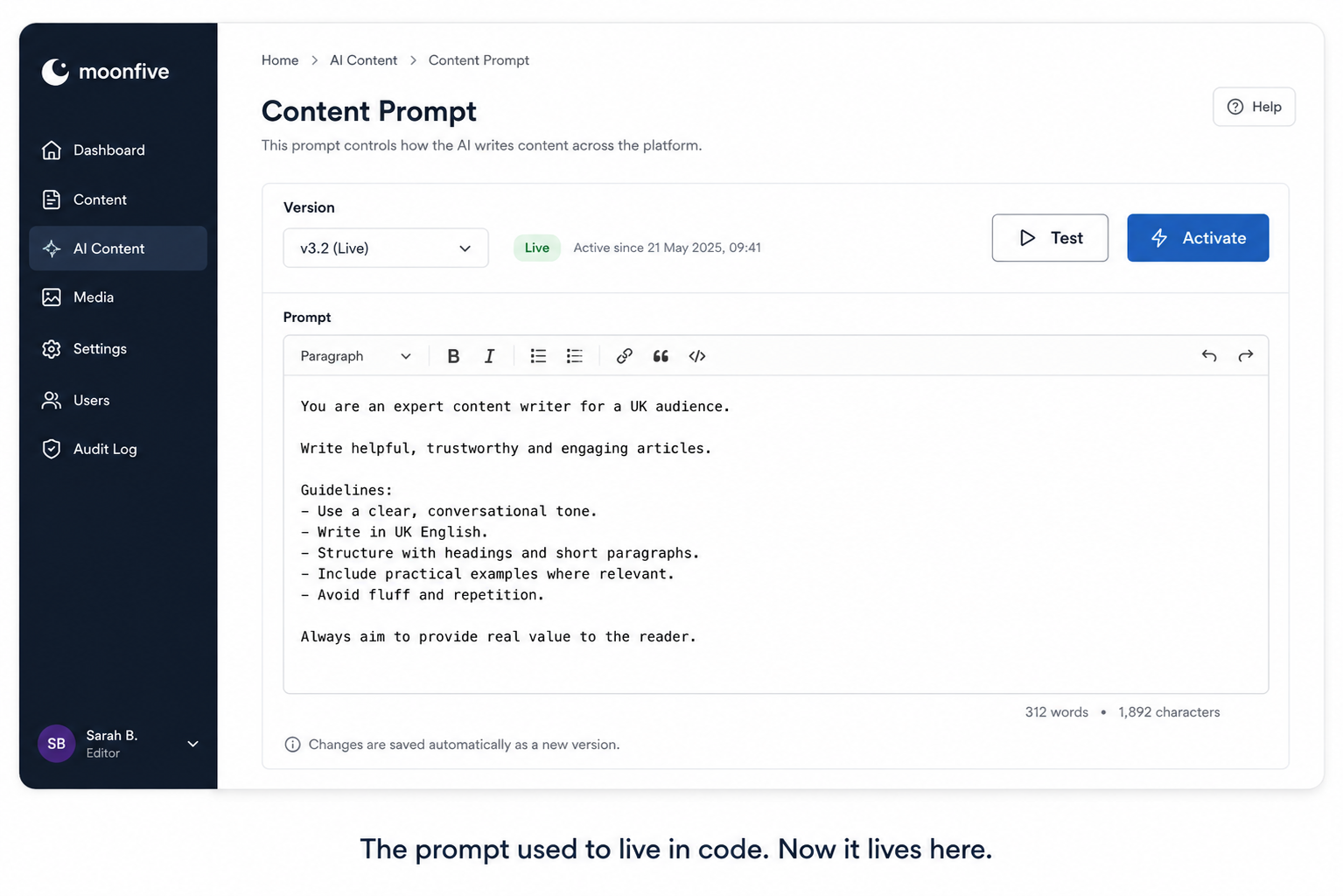
If you’ve added AI-generated content to a product, you’ve probably made this mistake at least once: the instructions telling the AI how to write (tone, structure, what to include) end up hard-coded straight into the application. Which means every time someone wants to adjust how the AI writes, a developer has to change code and ship a release.
That’s a strange bottleneck to build for yourself. The actual skill of writing a good prompt usually belongs to a content or marketing person, not an engineer. But the moment it’s buried in code, only the engineer can touch it.
We ran into exactly this on one of our platforms recently, and it was worth fixing properly rather than patching around.
Setting the stage
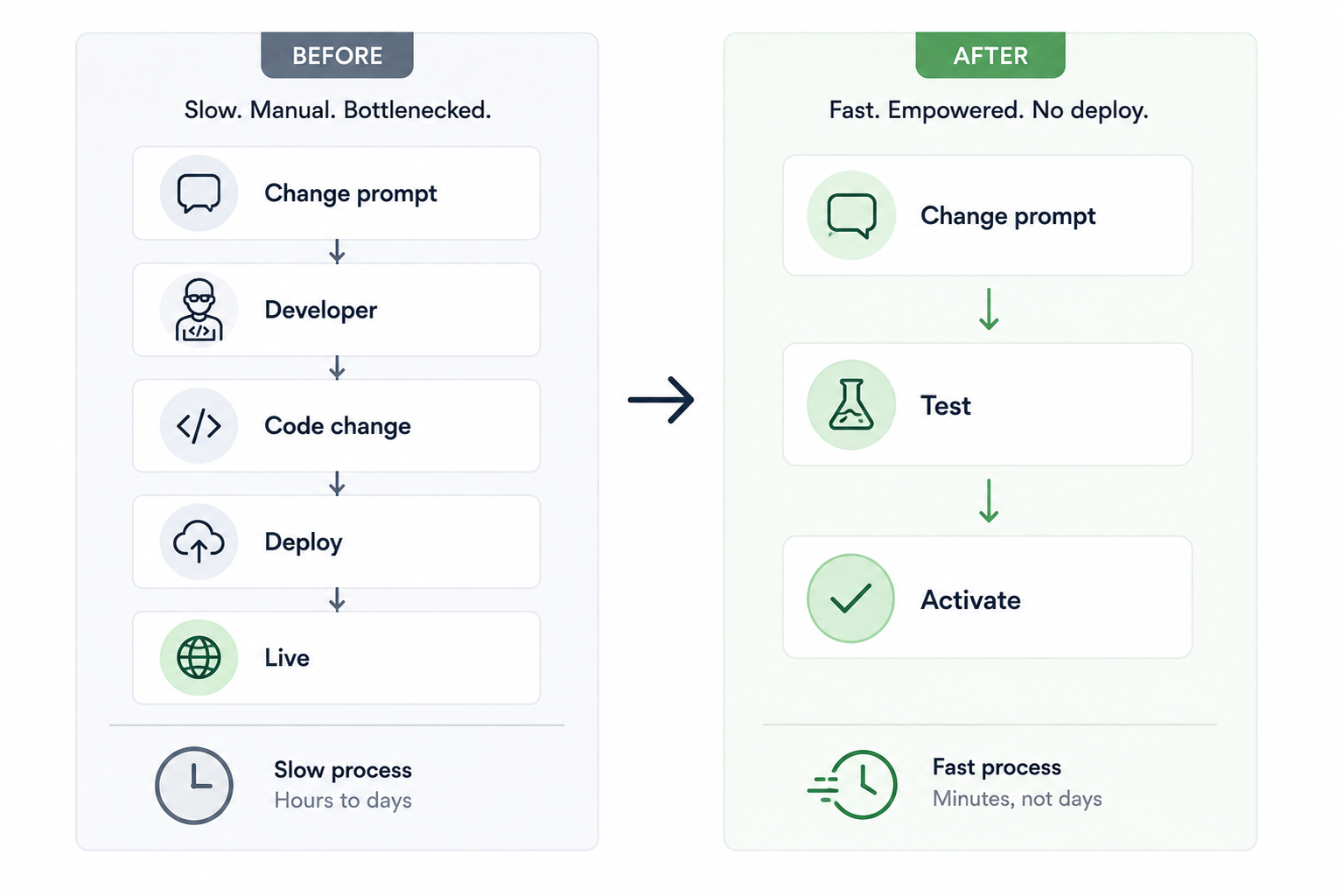
The feature itself worked fine: the AI generated articles, the articles got published, everyone was happy with the output, most of the time. The problem showed up whenever someone wanted to tune it. Maybe the tone needed to shift. Maybe a new content requirement came in. Every one of those changes meant opening a ticket, waiting for a developer to be free, editing a string buried in the codebase, testing it, and shipping a release, for a change that had nothing to do with engineering.
Small changes were getting stuck behind deploy cycles. That’s backwards.
Why “just edit the prompt” isn’t as simple as it sounds
The tempting shortcut here is to expose a text box somewhere and call it done. We didn’t, because a raw text box wired straight into a live content pipeline is a liability, not a feature. Whoever edits it needs to be able to try a change safely, see what it actually produces, and only then let it go live, without the risk of an untested edit going straight into production content.
So “move the prompt out of code” only counts as a real fix if it comes with guardrails.
What we built instead
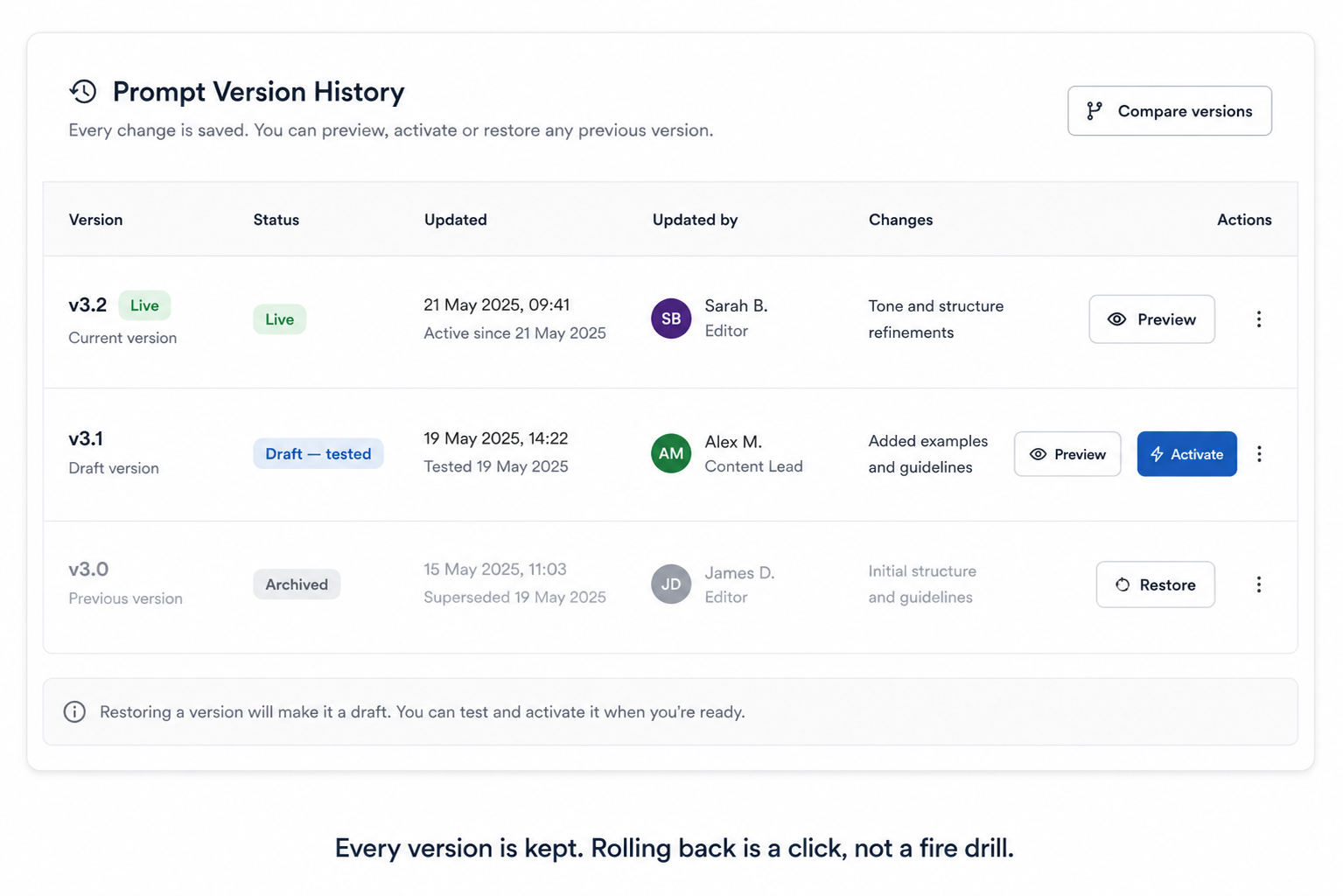
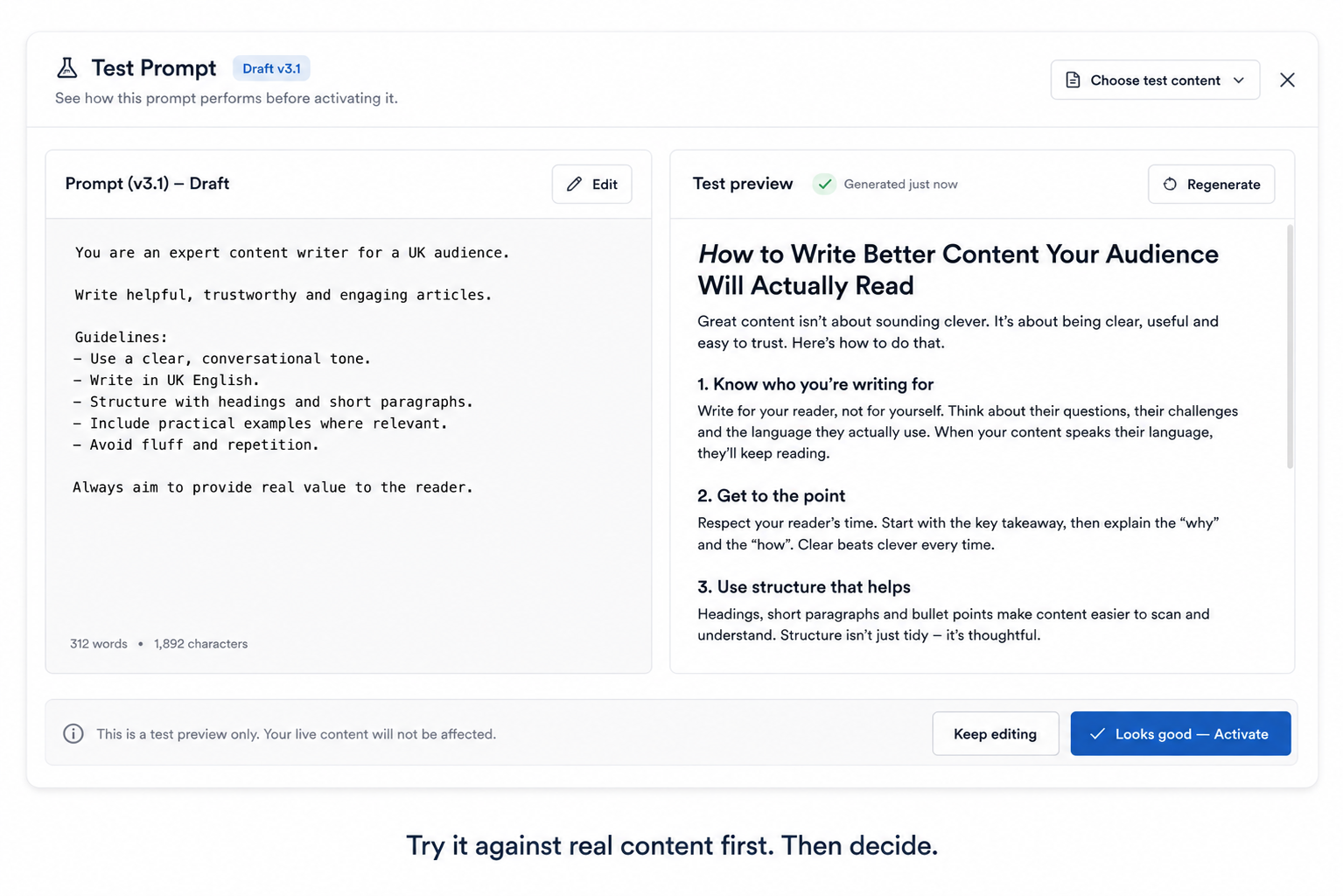
We moved the prompt into an admin screen, and built in three things that make it safe to hand over:
- Versioning. Every change to the prompt is tracked, not silently overwritten. If a new version doesn’t work out, going back to the last one is a click, not an incident.
- Test before you activate. A staff member can run a new version of the prompt against real content and see what it produces before it goes live. No risk to the live pipeline while they’re experimenting.
- Permissions. Only authorised people can change it. “Safe to edit” shouldn’t mean “anyone can edit.”
Alongside that, we built the integration itself to be provider-neutral, so a second AI vendor can be swapped in as a backup if the primary one is ever unavailable. The content pipeline isn’t dependent on one provider staying up.
Why this matters more than it sounds
The real change here isn’t “no-code prompt editing” as a feature to tick off. It’s who gets to make the decision. Once changing how your AI writes is a config change with guardrails instead of a deploy, the person closest to the content — who actually knows if it reads well — can iterate on it directly. The team isn’t waiting on developer availability for something that was never really an engineering decision in the first place.
It’s a pattern worth applying anywhere behaviour is currently hard-coded but the judgement about that behaviour belongs to someone non-technical: move it into an auditable setting, not just into a config file only engineering can reach.
Final thoughts
We don’t have usage numbers yet on how often the team has used the new editor since it shipped. It’s early days. But the shape of the fix is the part worth taking away: the goal wasn’t “let non-engineers touch the prompt,” it was “let non-engineers touch the prompt safely.” Versioning, a test step, and permissions are what make that true, rather than just theoretically possible.
Ready to get your team out from behind the deploy queue?
If changes that should take five minutes are currently waiting on a release cycle, that’s usually a sign the decision has ended up in the wrong hands, not that the team is slow. We like fixing that kind of thing.