

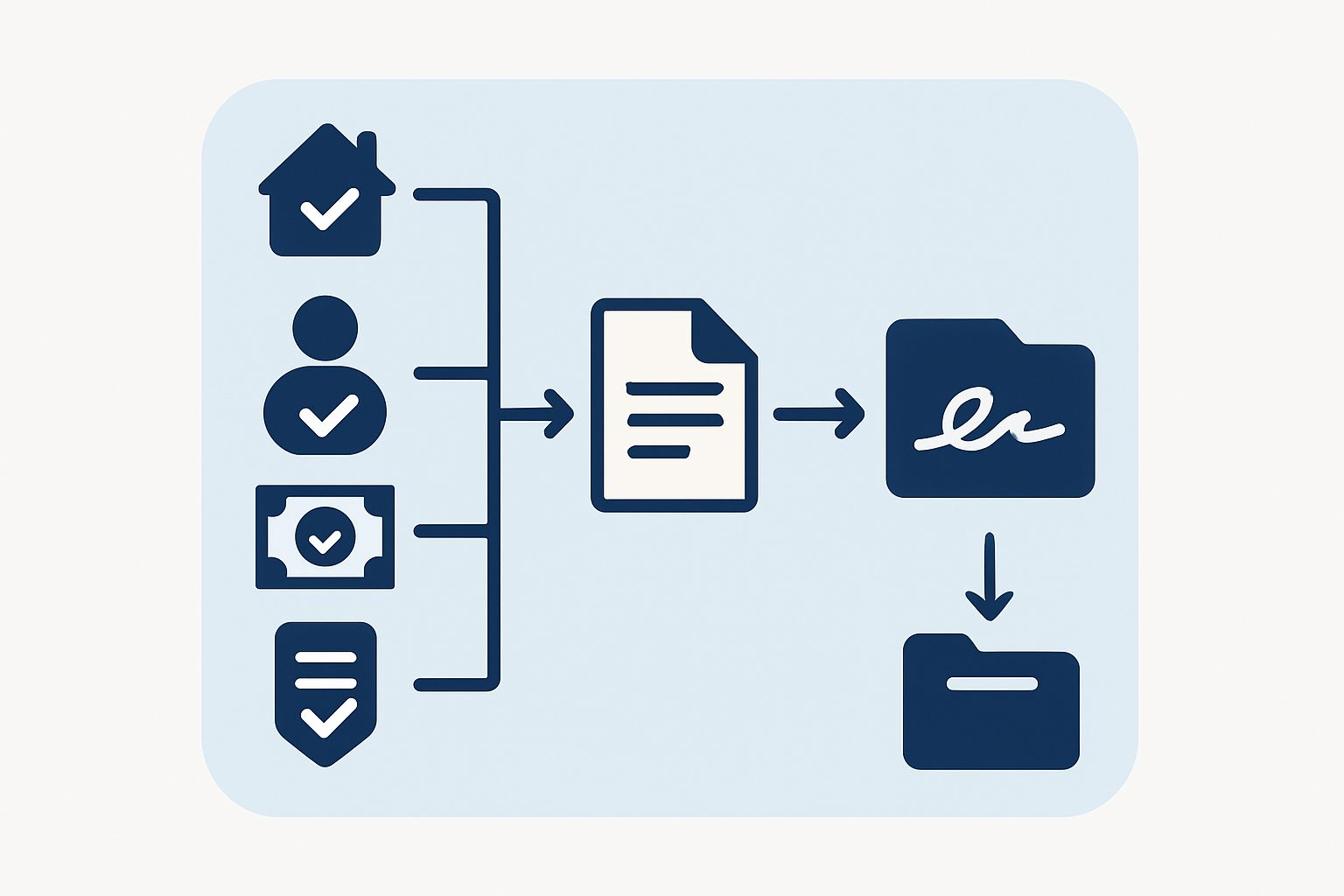
Every new client relationship starts with a contract. For a business that manages a large number of ongoing client accounts at once, each with its own fee structure and its own compliance quirks, that contract isn’t boilerplate with a name swapped in. Different clients genuinely need different clauses, and getting that wrong isn’t a typo, it’s a legal document that says the wrong thing.
We recently rebuilt this whole process for a client of ours: from the moment a new agreement is drafted, through internal checks, through the version that actually goes out for signature, through to the archived, fully-executed copy on file.
Setting the stage
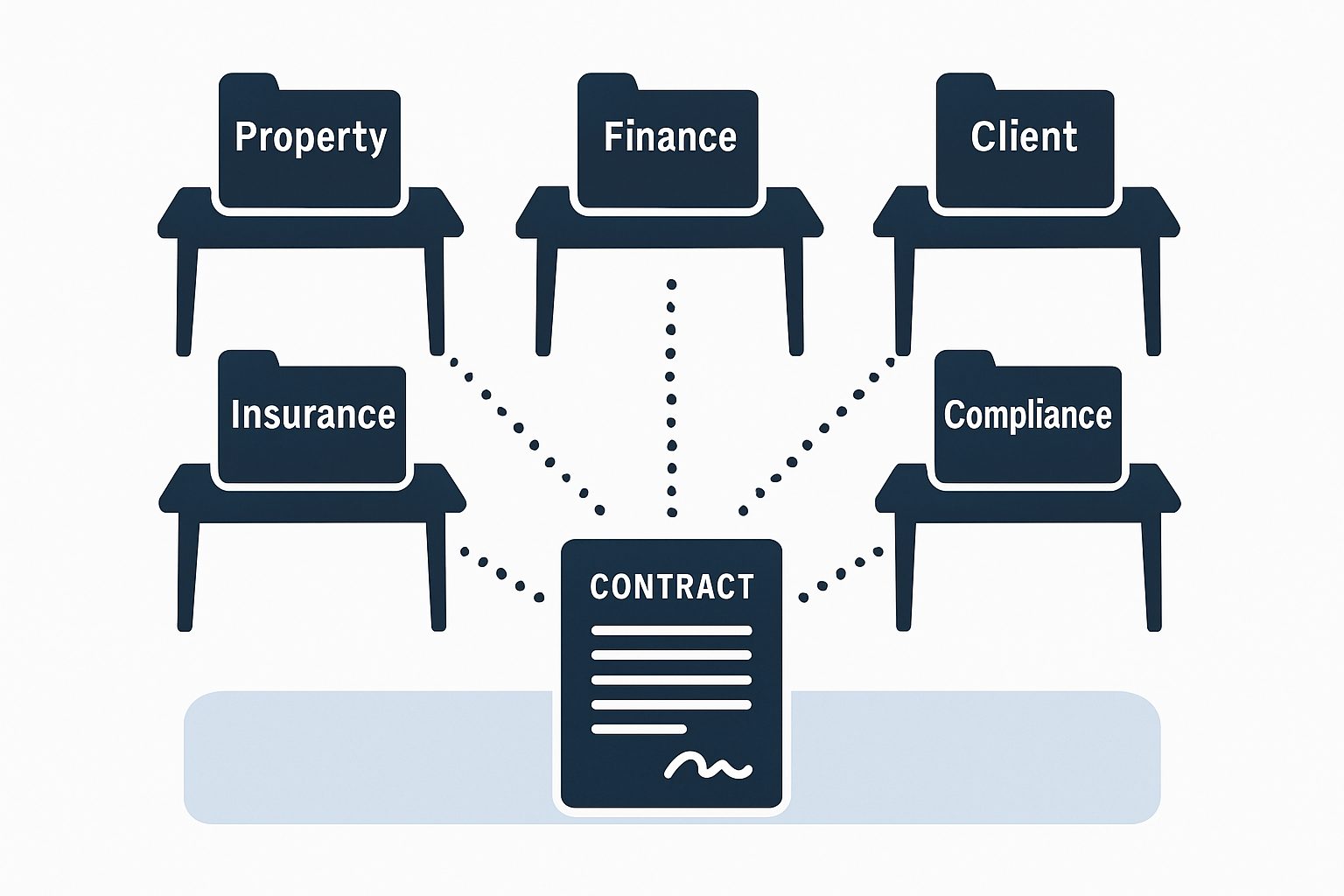
Before this, putting a contract in front of a client meant pulling together facts that lived with five different people. Operations held the property or account details, and finance held the fee schedule. Three more people, in three different parts of the business, separately tracked the client’s own company information, its insurance status, and whether a specific compliance flag applied to that account.
Each of those facts had to be right, and the legal wording of the contract itself needed to change depending on some of them. A contract for an account with a particular risk flag set needed different clauses to one without it. Getting the fee schedule wrong, or leaving in a clause that didn’t apply, wasn’t a minor slip. It was a legal document, going to a client, with something wrong in it.
Once a contract was checked and approved, it still had to be signed, chased if it sat unsigned too long, and filed once complete. All of that was manual too.
The tempting shortcut, and why we didn’t take it
The obvious fix for “clauses vary by client” is to let staff hand-edit each contract before it goes out: delete the clause that doesn’t apply, adjust the wording, renumber if a clause gets removed. That’s exactly the process that was breaking down. Every manual edit is a chance for a cross-reference elsewhere in the document (“see clause 5.3”) to end up pointing at the wrong thing after a renumber, and nothing catches that until someone reads the whole document closely, which understandably doesn’t always happen under time pressure.
The other tempting fix would have been to try to make that impossible everywhere, checking every single edit against every reference in the document before allowing it to save. For a document that’s mostly stable and edited by a small number of people, that’s a lot of engineering weight for a low-frequency problem. We went a different way: let the system build the correct document automatically wherever it can, and where a break can still happen, make it trivial to find and fix.
What we built
A contract that assembles the right clauses automatically. Contract templates are stored as sections, clauses and sub-clauses, not as one long document. Clauses can be tagged with a condition, so a clause only appears in the final contract if the client’s own data matches it, meaning the difference between one client’s contract and another’s isn’t something a person edits by hand. Cross-references between clauses aren’t fixed clause numbers either. Each clause carries a stable internal reference, and every “see clause X” in the document is resolved to the current, correct number at the moment the contract is generated. Move a clause, and everything pointing at it updates itself the next time the document is built. Nobody renumbers anything by hand.
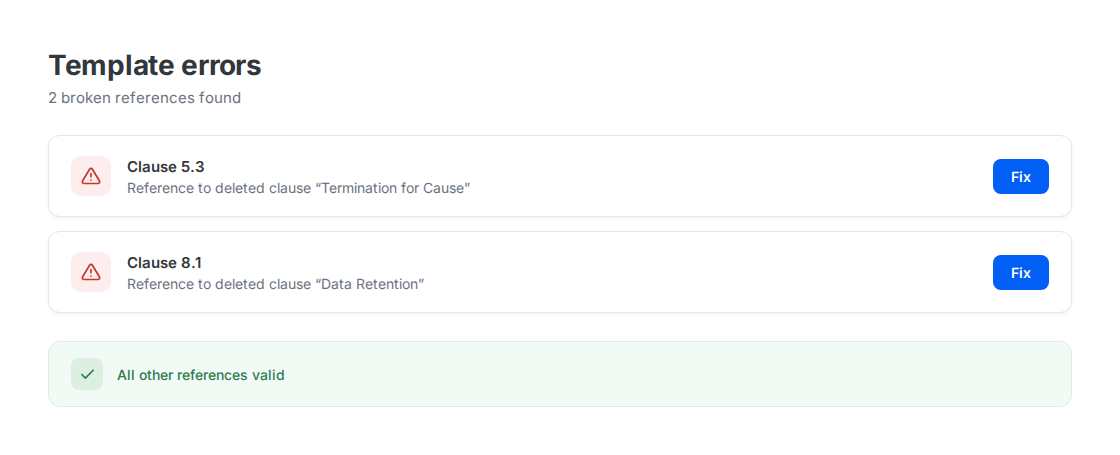
A way to catch it when a reference does break. Deleting or restructuring a clause doesn’t automatically rewrite every other clause that mentions it, and we deliberately didn’t try to force that everywhere. Instead, there’s a dedicated check that scans the whole document, compares every cross-reference against what’s actually still there, and lists exactly which clause is now pointing at something that no longer exists. Whoever’s editing the template can click straight through to the problem and pick the right target, instead of reading the entire contract hoping to spot it. Cloning a template to create a new one carries this same logic: every internal reference in the clone points to something inside the clone, not back at the original it was copied from.
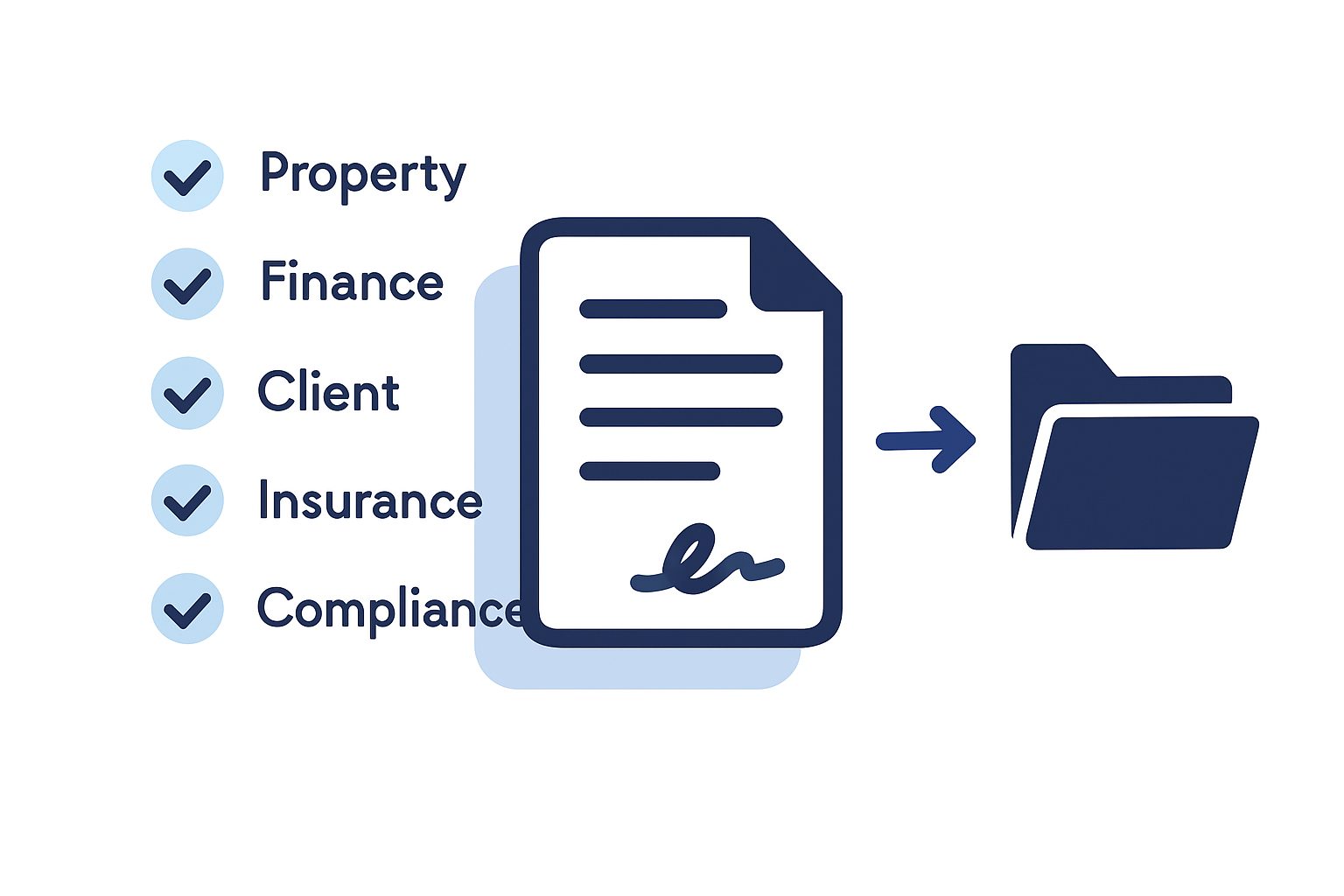
A genuine internal check, before anything goes out for signature. Before a contract can be sent anywhere, five separate sections each need to be individually checked off, each by whoever owns that piece: the property or account details, the fee terms, the client’s own information, insurance status, and compliance flags. Any one of those checks can be individually rejected on its own, which resets the whole approval and notifies whoever originally checked it, so a problem in one section doesn’t get quietly carried through because the other four looked fine. Only once every section is checked, and a named person is set to approve and later counter-sign, can a contract move forward at all.
From there, the client signs first, and the named internal signatory signs second, inside the same system rather than a separate inbox. Status is never assumed. The system checks in with the e-signature service on a schedule designed to respect that service’s own rate limits, so “signed” always reflects what the signature provider actually reports, not a guess based on how much time has passed. And a signed contract can’t accidentally be treated as void, or a voided one accidentally treated as still live, because the system won’t clear its own record of a contract until the signature provider explicitly confirms it was cancelled.
Why this matters more than it sounds
None of these are big, dramatic features on their own. What they add up to is a contract that’s correct by construction for far more clients than manual editing ever managed, and a document that tells you exactly where it’s broken instead of silently going wrong. Five different facts are each individually owned and individually accountable now, rather than one person eyeballing the whole thing and hoping.
Final thoughts
We don’t yet have a clean before-and-after number for how much staff time this saves, or how often the old manual process actually let a wrong clause or a stale cross-reference through before someone caught it. What we can say is that the system now catches the class of mistake that used to depend entirely on someone reading closely enough, and it does it automatically, every time a contract is built or edited, not just when someone remembers to check.
If your team is still hand-editing contracts that genuinely vary client to client, the lesson here isn’t “add an e-signature tool.” It’s building the document so that the right version assembles itself, and the wrong version is easy to catch before anyone outside your business ever sees it.
Ready to stop hand-editing contracts that should build themselves?
If your team is still manually assembling documents that vary by client, checking them by eye and hoping nothing slipped through, that’s usually a sign the document needs to become a system, not just a template. We’re happy to talk through what that would look like for your setup.