
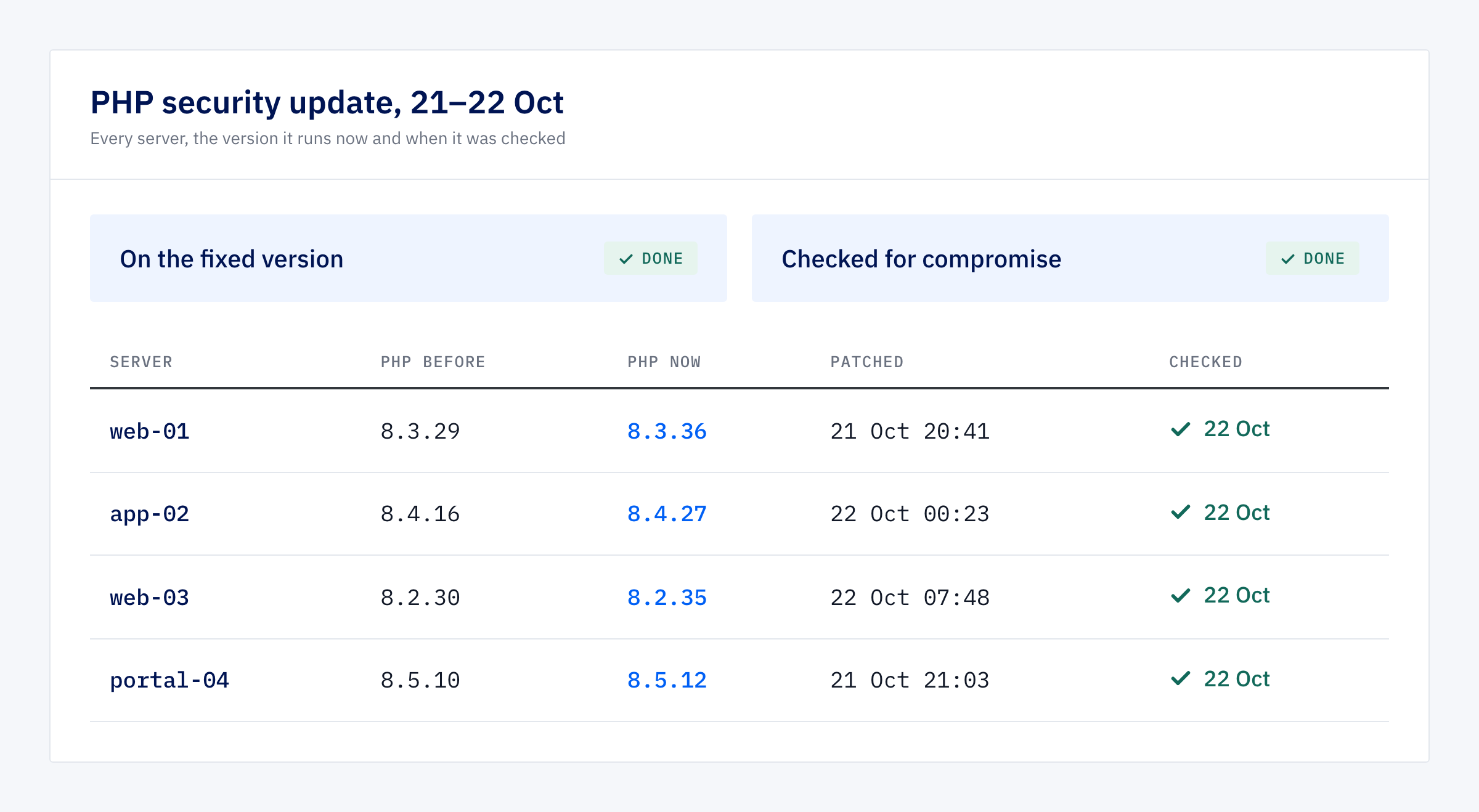
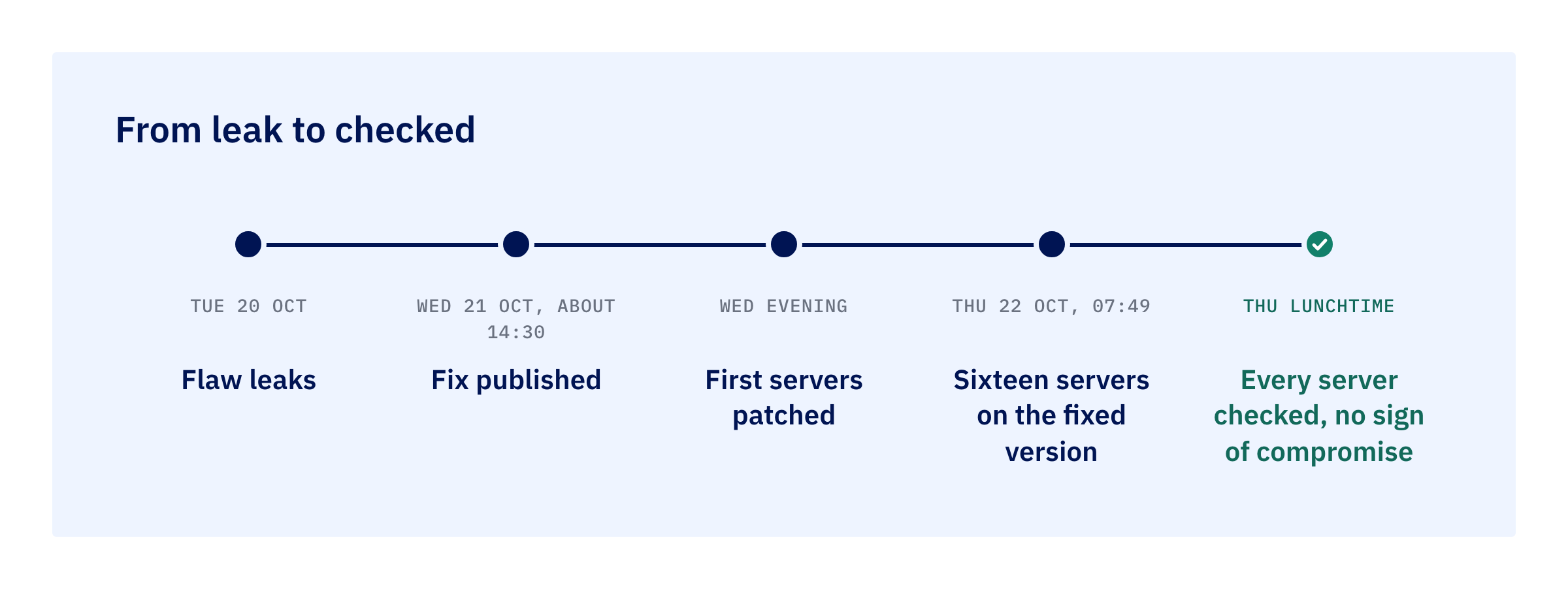
By 07:49 on Thursday morning, sixteen servers we look after were running the fixed version of PHP, the language most of our clients’ systems are written in. The first of them were patched on Wednesday evening, within hours of the fix becoming installable. By lunchtime we had checked every server we look after for signs that someone got in before the patch, and found none.
That’s the short version. The rest of this post is how it happened, and what should go on behind the scenes when a serious flaw lands, whoever runs your software.
A flaw that went public before its fix
On Tuesday 20 October, details of two serious flaws in PHP leaked, along with screenshots of a tool built to exploit them. Flaws of this kind (CVE-2026-109618 and CVE-2026-109619) let an attacker run their own code on a web server. The PHP team published fixed versions at about 14:30 UK time on Wednesday. Security researchers saw the first attempts to exploit them within the hour.
PHP sits under a large share of the web: WordPress sites, Laravel applications, and the portals and back-office systems we build for property and operations teams. Between a fix being published and it being installed, a server is exposed, and everyone attacking it knows that.
Getting the fix onto every server
A published fix isn’t installable straight away. The fixed packages for the server software we use arrived in stages through Wednesday afternoon and evening, the last of them at about 19:15. We started patching at 20:00.
We didn’t log in to each server by hand. We wrote the update once, as a script, and ran the same script across the whole fleet through our server management service. Every server got the same steps, each one kept its own log, and a retry meant running it again rather than starting over. Seven servers were done on Wednesday evening, five more overnight, and the last four at 07:48 on Thursday.
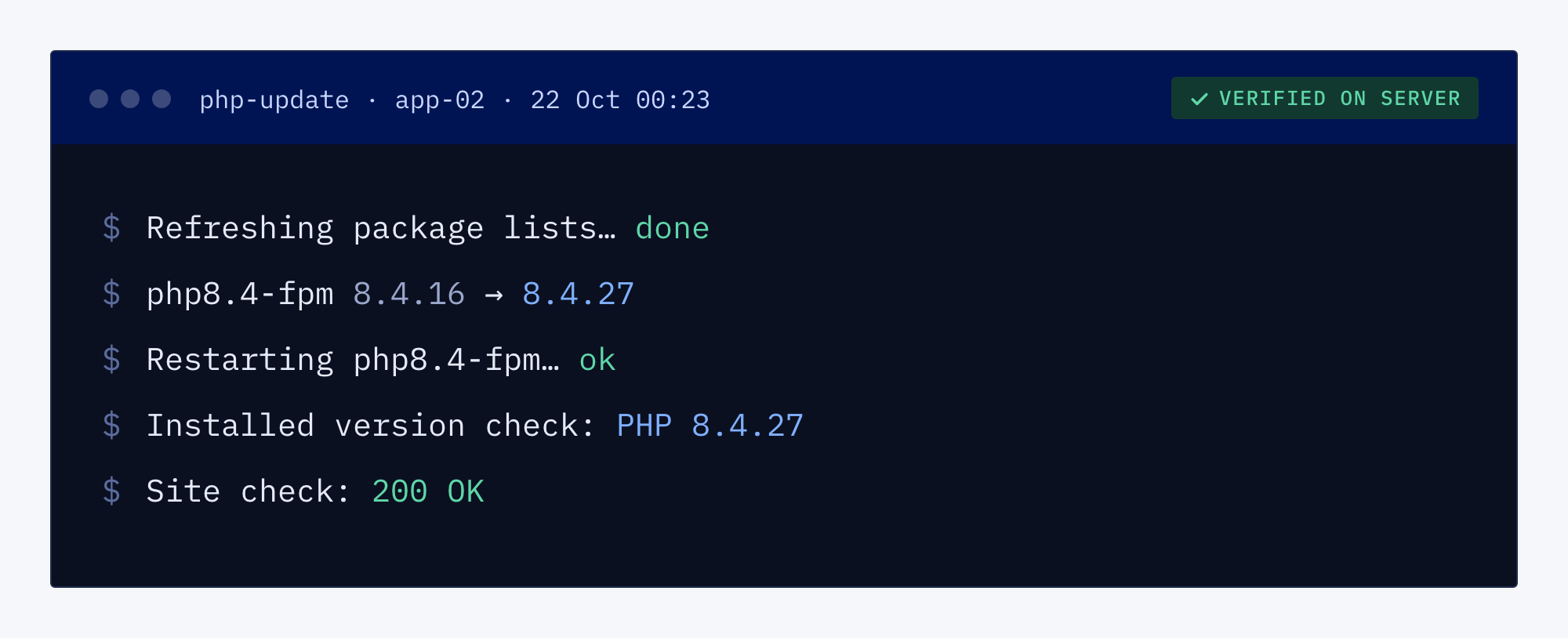
We didn’t take the management service’s word that it had worked. For part of the evening its status screen ran about an hour behind and showed some runs as failed when the script had in fact finished. So each server was confirmed by reading the installed PHP version on the server itself, and each site was loaded to make sure it still answered.
The work also turned up two things worth fixing for the future. On some servers, the tool that fetches updates had quietly stopped picking up new PHP releases months earlier, after the source it downloads from changed a label in its own details. The update script now handles that. And the automatic security updates our servers already run cover the operating system, not PHP itself, so PHP’s smaller point releases had to be applied on purpose. We’ve opened a piece of work to put those on a regular schedule.
Checking nobody got in first
Patching shuts the door. It doesn’t tell you whether anyone came through it while it was open, and this door was open for a day before the fix existed. So on Thursday morning we ran a read-only check across every server we look after, covering everything from Tuesday 20 October onwards:
- Files. Anything changed in the website folders since Tuesday, and any PHP file sitting in a folder meant for uploads or temporary files.
- Footholds. New scheduled tasks, new login keys and new background services, which are the usual ways an attacker makes sure they can get back in.
- Activity. What was running, which network connections were open, and who had logged in to each server and from where.
- Logs. Crash and error logs, looking for the marks an attack attempt tends to leave, plus the server-level request log.
Everything the check flagged had an explanation we could confirm. Changed files matched our own deployments. One login key file had been rewritten by the management service itself when it ran the patch. The requests in the logs were the usual automated scans that hit every server on the internet, and every one was refused. We found no sign of compromise on any server.
One limit, stated plainly: our sites don’t keep a separate request log each by default, so the request review covers the server-level log only. The file, footholds, activity and login checks are the main evidence. We’ve opened a piece of work to switch the per-site logs on.
What to expect from whoever runs your software
Whether it’s us or someone else, these are fair questions to ask after a week like this one:
- How fast was the fix installed? Hours from when it could be installed, not the next monthly maintenance window.
- How do you know it worked? The answer should be “we read the version on the server”, not “the dashboard said so”.
- Did you check for an intruder? A patch applied after a leak should be followed by a look for anything left behind, with a clear list of what was looked at.
- When did you tell me? A short note in plain English once it’s done: what the flaw was, what was done, and what was checked.
- What happens between emergencies? Routine updates on a schedule, so the next urgent patch starts from a current, well-kept server.
Fast is only half of it
Speed gets the headlines in a week like this, and it matters: the gap between fix and install is the gap an attacker works in. But a fast patch nobody checked is a guess. What lets you stop worrying is the evidence that came after: the version read off each server, the list of what was checked, and a note that tells you so.
Ready to know your servers are looked after?
If you’d struggle to say when the software your business runs on was last patched, or who would check it after a scare like this one, that’s worth finding out before the next one.