

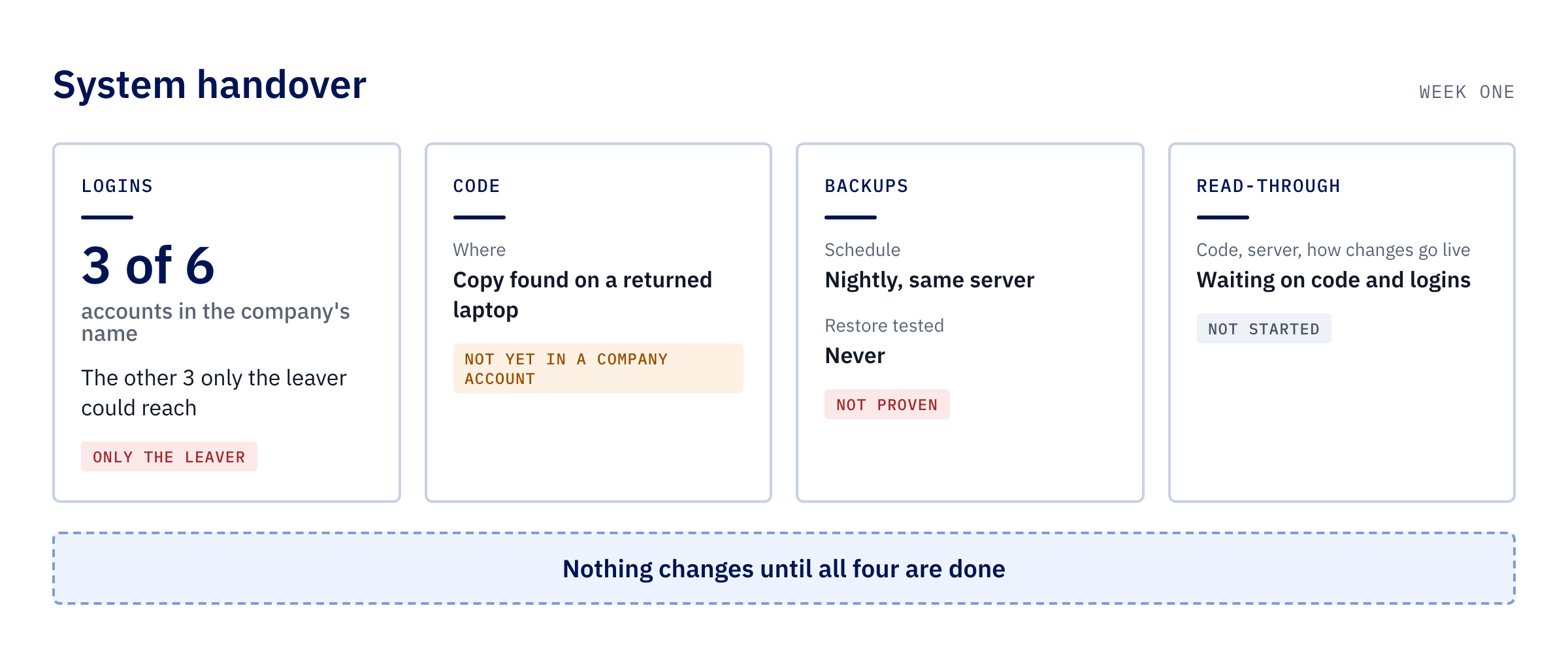
Yes. Someone else can look after a system they didn’t build, whether it’s an Access database, a spreadsheet full of macros, a program installed on every PC or a web system on a server somewhere. The person who built it knew things that were never written down. Most of that can be worked out again, from the system itself and from the staff who use it every day.
What decides how smoothly it goes isn’t the age of the system or what it was built in. It’s whether you can get at it. So a takeover starts with the logins, the code and the backups, then a careful read-through, and nothing gets changed until that’s done.
What leaves with the person who built it
When the builder goes, the system usually keeps running. What goes with them is access and knowledge. The admin password may only ever have been in their head. The hosting, the domain name or an automation service may be in their name, or paid on their card. The code may sit on their laptop or in a personal account. And the reasons behind the odd parts (“don’t run that report on a Friday”) may never have been written down anywhere.
None of that stops the system today. It becomes a problem the day something breaks, a renewal payment fails or someone asks for a change, and nobody can get in.
Why the first job isn’t fixing anything
The tempting first move is to ask the new person to fix the thing that has annoyed everyone for years, or to price a replacement straight away. Both mean changing a system nobody understands yet, with no proven way back if it goes wrong.
Someone who starts changing things in week one is guessing. The first stretch should go on making the system safe to touch: knowing who holds every login, having a copy of the code, and having a backup that has been restored at least once.
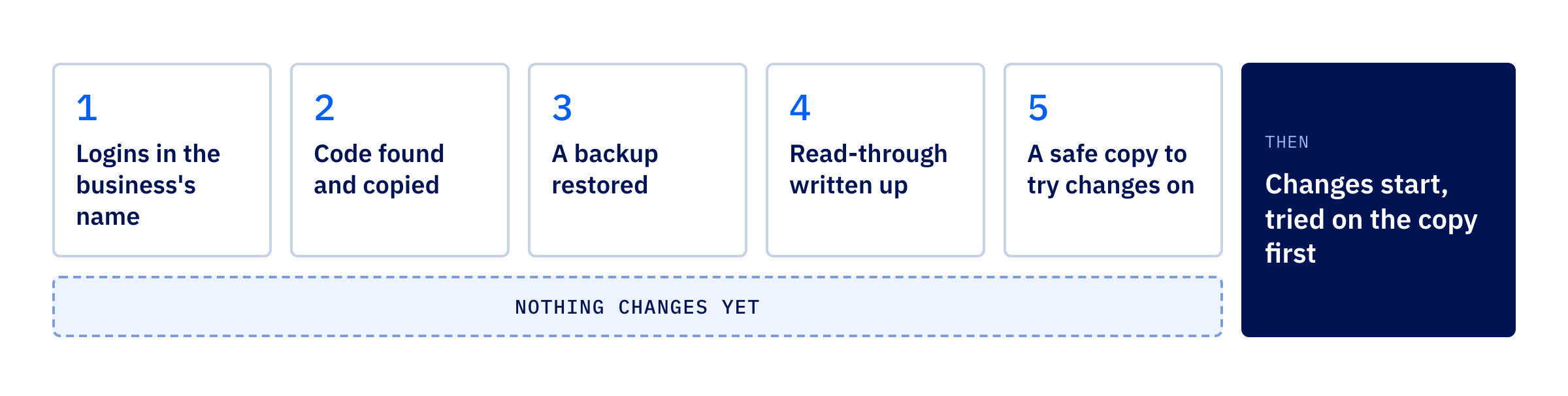
What a takeover looks like, in order
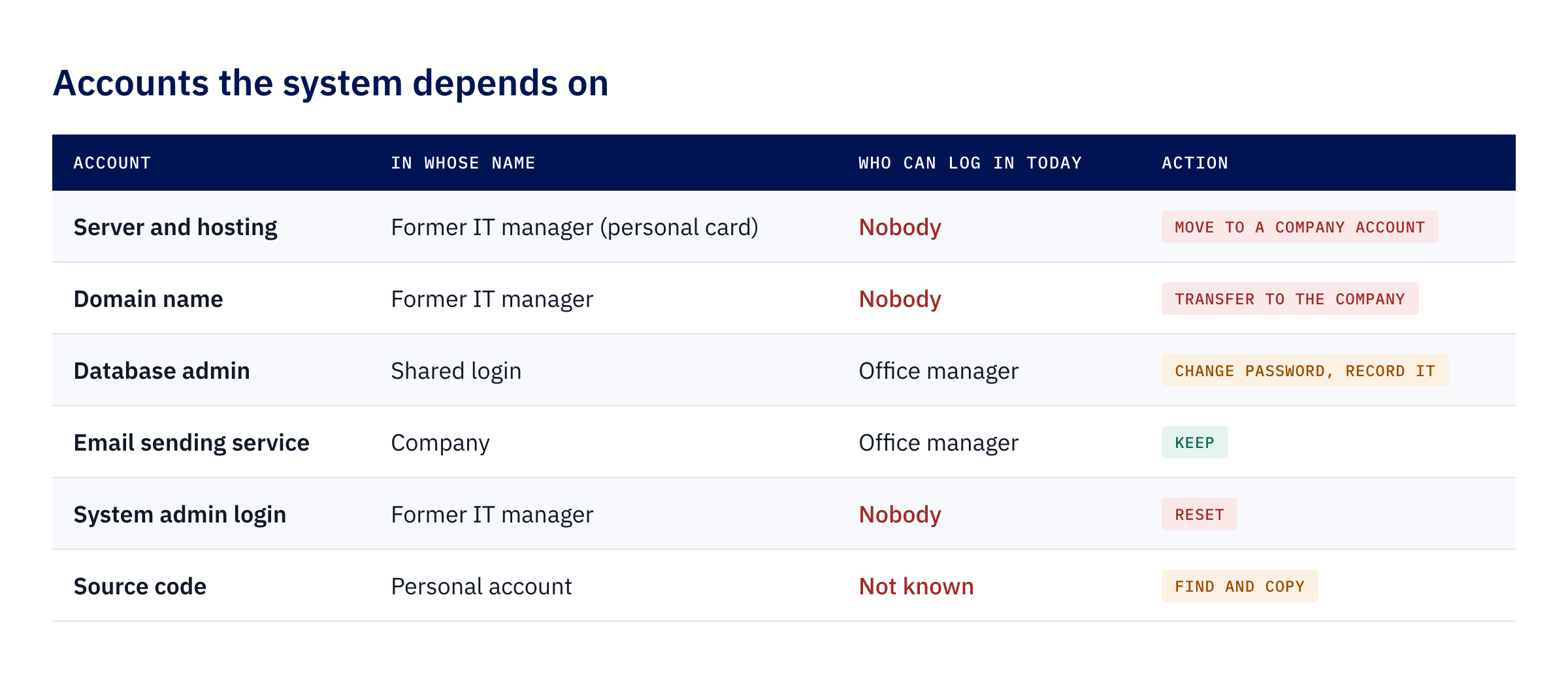
- Get the logins into the business’s name. List every account the system depends on: the server or hosting, the domain name, the database, any outside services it sends email or payments through, and the admin login for the system itself. For each one, write down whose name it’s in and who can get in today. Anything only the leaver could reach moves to an account the business owns. If the leaver is still reachable and on good terms, this is the first conversation to have with them.
- Find the code. For a web system or an installed program, that means the source code, not just the copy that runs. For an Access database or a macro workbook, it means a version that can still be edited, because the copy on staff PCs is sometimes locked. Keep it somewhere the business controls.
- Prove the backups. Find out what is backed up, where it goes and how often. A backup on the same machine as the live system goes down with it. Until one has been restored somewhere else and the data checked, nobody knows whether it works.
- Read it before changing it. Someone reads the code, the server setup and the way changes reach the live system, and writes down what’s out of date, what no longer gets security fixes and what could stop without warning. Then they sit with the people who use it. The workarounds staff have built tell you where it hurts.
- Set up a safe copy. A private copy of the system where changes are tried first. From then on, nothing reaches staff until it has worked on the copy.
What the read-through tells you
The read-through is where the real decision gets made. Some systems turn out to be in decent shape and need looking after more than replacing. Others run on software that no longer gets security fixes, or hold years of records that would be hard to get back. Whether to keep it, improve it or replace it then rests on what’s actually there.
It also changes who holds the knowledge. If the findings are written in plain English and kept by the business, the next person to look after the system starts from that page. That matters more than any single fix, because the original problem was never really the system. It was that one person knew everything about it.
Why the first two weeks look slow
A good takeover looks slow for the first couple of weeks. Chasing logins and restoring backups doesn’t show on screen, but it’s what makes every later change safe.
That’s how we start with a system someone else built. Our page on what happens in your first two weeks sets out the audit, the backups and the safe copy in more detail.
Ready to find out what you’ve been left with?
If the person who built your system has gone and you’re not sure what you’d find if you looked, we’re happy to talk it through.