

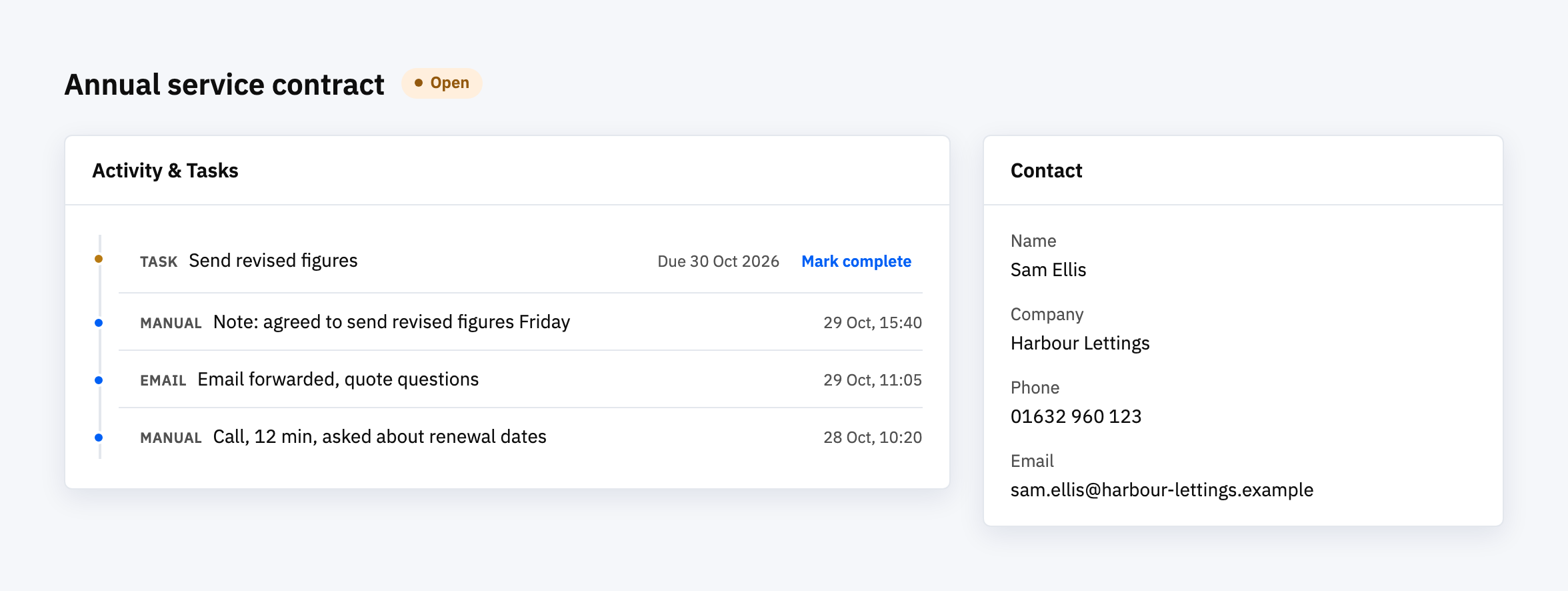
The best practice is that every call and conversation is recorded against the customer or the deal it was about, in one place, and takes less than a minute to log. Everything else is detail on those two points. A record nobody can find, or one that takes too long to write, stops being kept within a few weeks.
Log against the thing, not the person who made the call
A call log is only useful if someone else, or you in three months, can open the customer and see what was said. So the unit of record is the contact, company or deal, not the phone or the inbox. A note in someone’s own notebook or a personal email folder is a record that leaves with them.
That’s the main reason to keep interactions in a CRM rather than in a shared spreadsheet. The conversation, the contact and the next step sit together, and the next step can be given a date.
Make logging cheap, then decide what to automate
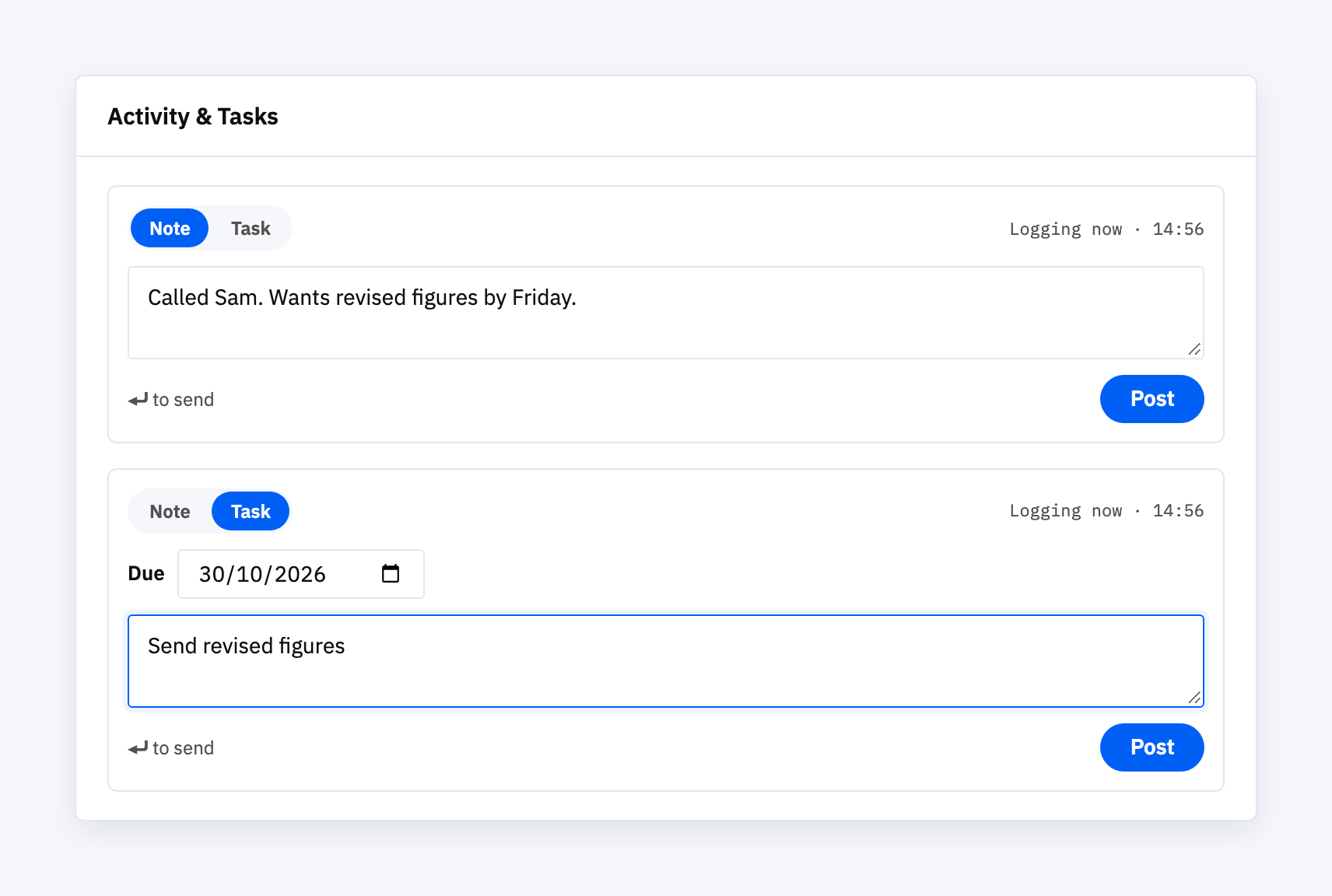
People log what costs them nothing to log. For a call, that means a short note added at the point of the call: what was asked, what was agreed, what happens next. Three lines is enough.
Automation helps, but be honest about what it covers. In the CRM we built, Voyager, a note is added by hand to a deal’s timeline, and an email forwarded to a deal’s own address is logged as an activity on that deal. Calls aren’t captured automatically, so a call is still a note someone writes. That’s a deliberate limit for a small product. Larger CRMs advertise automatic call logging, and if call volume is high enough that nobody will type the notes, that is a good reason to choose one of them.
Turn every logged call into a next step
A log that only records the past gets ignored. The entries worth reading are the ones that created something: a task with a date, a reminder, a deal moved to the next stage.
In Voyager, tasks assigned to you remind you when they fall due, and deals move between pipeline stages and are marked open, won or lost, each with a value. The logging and the follow-up live on the same page, so writing the note and setting the next step is one action.
Check the record is being used
Two checks tell you whether the practice is holding:
- Open a few customers at random. Can you tell, from the timeline alone, when you last spoke to them and what was agreed?
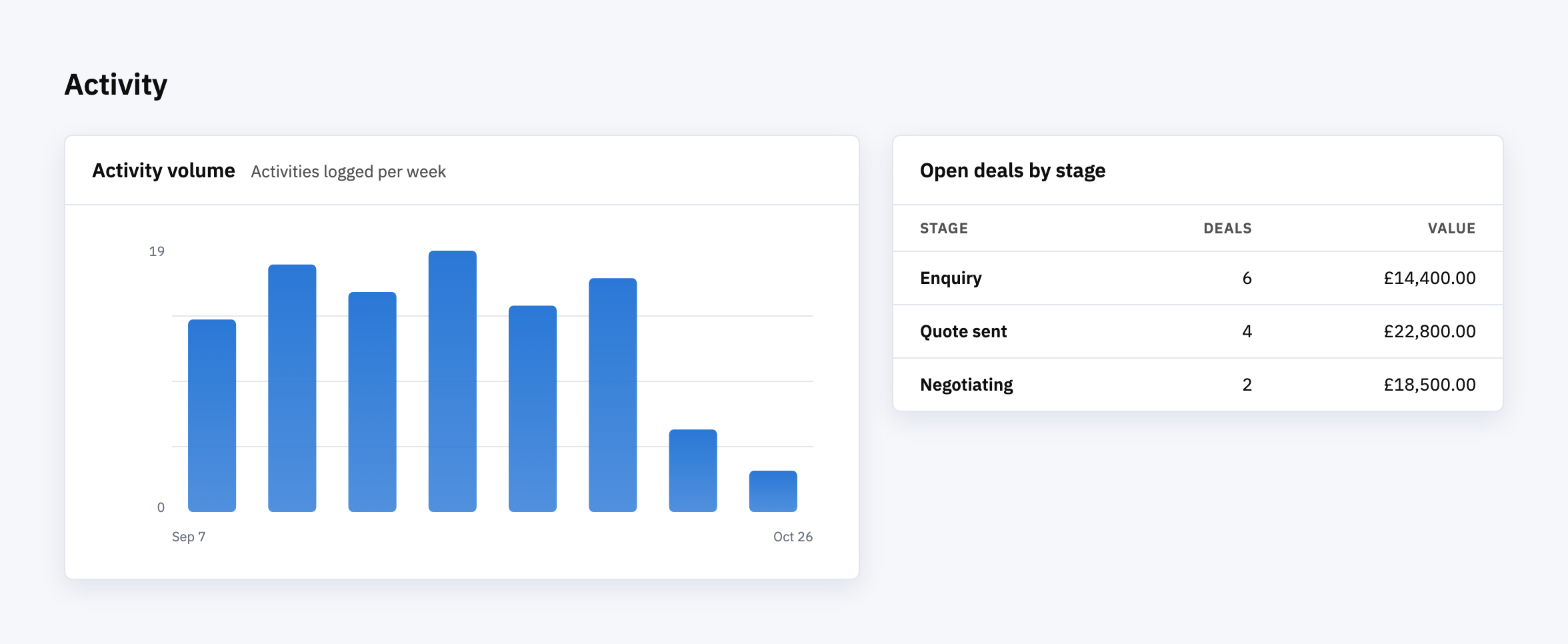
- Look at activity over time. Voyager’s dashboard shows activity counts over 7 days, 30 days and 8 weeks. A count that drops to nothing is usually a logging habit that stopped, not customers who stopped talking.
What we’d start with
Pick the one place interactions get recorded, and say so to everyone. Set the standard at a few lines per call plus a dated next step. Review a handful of records a month. Only then look at automating capture, and only for the channel where typing has become the bottleneck.
Ready to see where your customer conversations actually live?
Most businesses find their calls, emails and notes spread across inboxes and notebooks. If you’d like to talk through what a single record would look like for yours, we’re happy to.