
The insurer has made an offer. The handler records it against the claim: the amount, the excess, the date it came in. Then they stop, because the next button isn’t theirs to press. Another admin gets a notification, opens the claim, reads the offer and either approves it or sends it back. Only after that does the offer go to the client.
Most brokers already have that rule somewhere in a handbook. Shield is a system for small insurance brokers we built this autumn, and that rule is one the software applies itself.
A claim has more people in it than a policy does
A policy is mostly a record between a broker and a client. A claim is a conversation. The client reports the damage, the insurer wants evidence, a loss adjuster visits the site, and sometimes a solicitor or a third party joins in. The broker sits in the middle, waiting for somebody else to reply.
In Shield each of those people is a party on the claim. The client and the insurer are added from the policy the moment the claim is opened. The adjuster and anyone else are added as they appear. None of them log in. They are records the broker keeps, so nobody outside the firm has a password to forget.
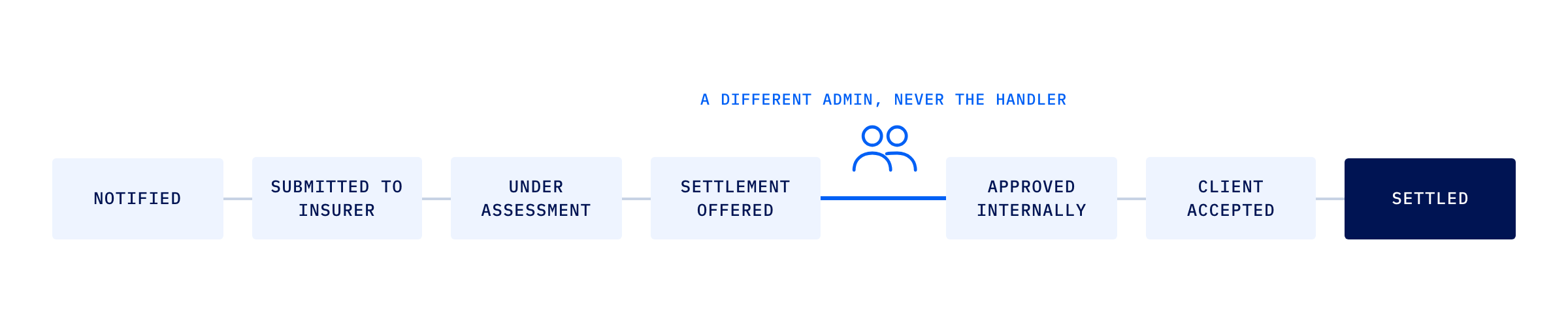
The claim itself moves through fixed stages: notified, submitted to the insurer, under assessment, settlement offered, approved internally, client accepted, settled. It can be declined or withdrawn from any open stage. It cannot skip. A claim that has only been notified can’t be marked settled, however keen someone is to close the file on a Friday.
Why the approver can never be the handler
The easy version of a sign-off rule is a tick box labelled “checked by a second person”. It takes an afternoon to build and it’s worth almost nothing, because nothing stops the handler ticking it themselves.
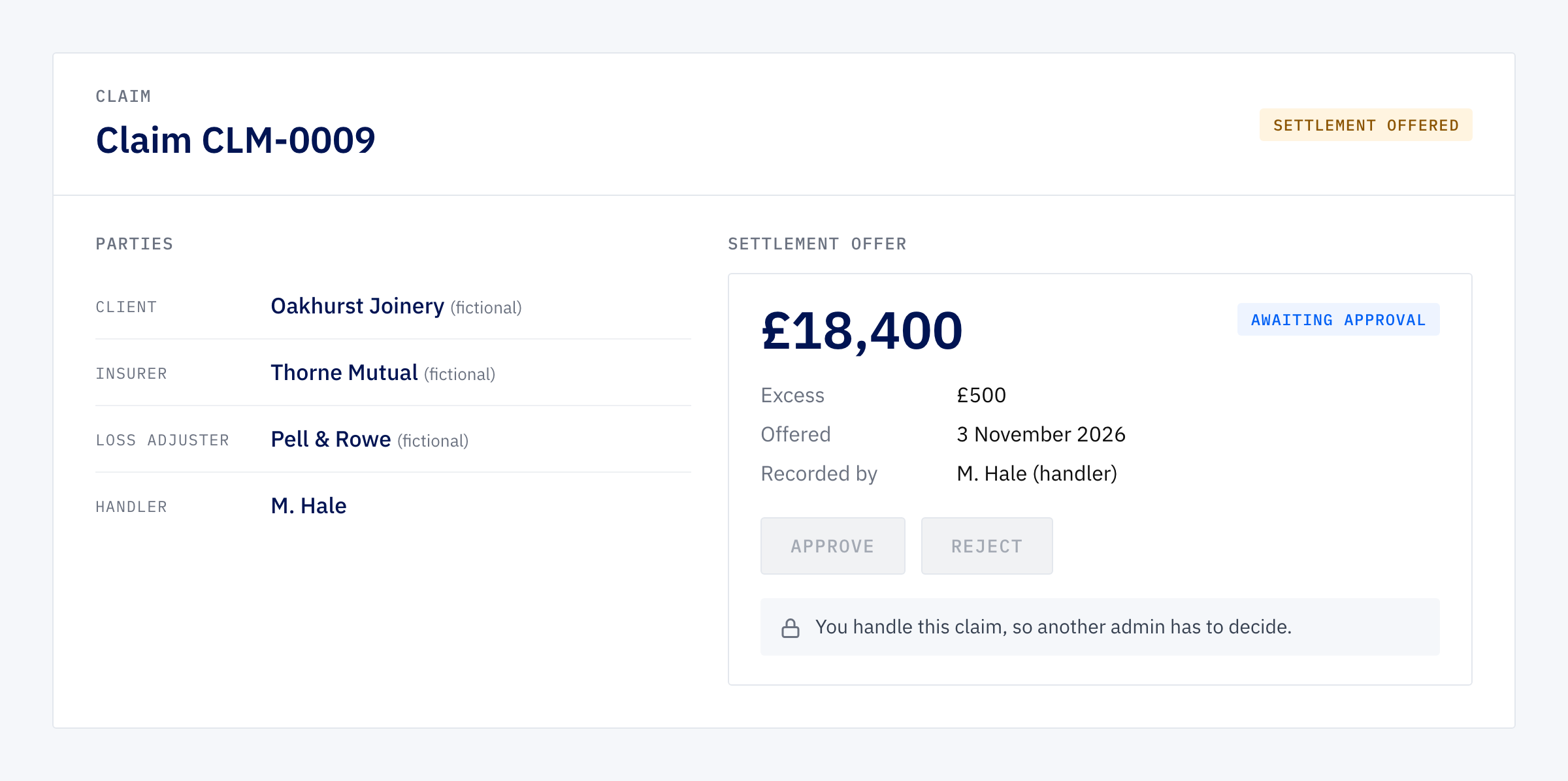
Shield’s rule is stricter. An offer can only be approved by an admin, and never by the person handling the claim, even when that person is an admin too. Try it and the system refuses. It doesn’t warn you. It says no.
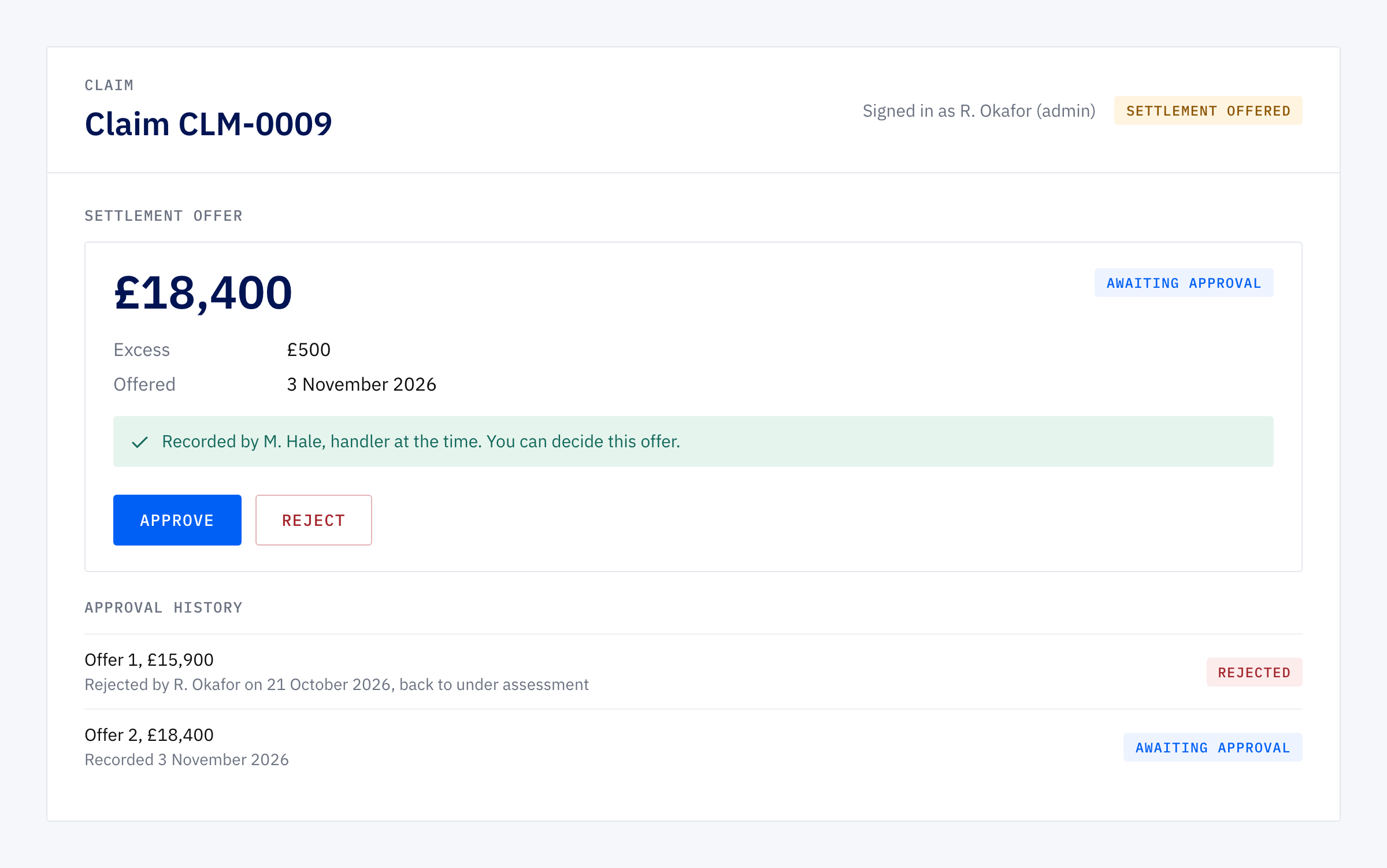
The review before go-live found a way round that. A handler who was also an admin could record the offer, hand the claim to a colleague, and then approve an offer on a claim that was no longer theirs. So the rule now remembers who was handling the claim when the offer was recorded, and refuses them as well, whoever handles it today. There is a test that checks that route stays shut.
The claim, from first notice to settled
Here is the path on Shield’s sample data, which gives you a book of fictional clients, claims at every stage and one offer already waiting for your approval.
- Notify. Pick the policy, enter the incident date, a description and the amount claimed, and assign a handler. The client and insurer are already on the claim.
- Chase. Each call or email is logged against the party it was with, to them or from them, with a next chase date. When that date arrives the handler gets one reminder. Claims whose chase date has passed show up on an “overdue chase” filter and on the dashboard.
- Offer. When the insurer makes an offer, the handler records the amount and the excess. The claim moves to settlement offered, and the admins who don’t handle it are told there is something to approve. Only one offer can be open on a claim at a time.
- Approve or reject. A different admin approves it, or rejects it back to under assessment. Either way the handler is told.
- Client answers. The handler records the client’s acceptance or rejection. A rejection sends the claim back a stage and keeps the offer in the history, so the next offer sits beside the one that was turned down.
- Settle. Only an approved, accepted offer lets a claim be marked settled.
Every stage change and every offer decision writes itself into the claim’s activity log, so the history is there without anyone typing it.
The tile that tells an admin what is waiting
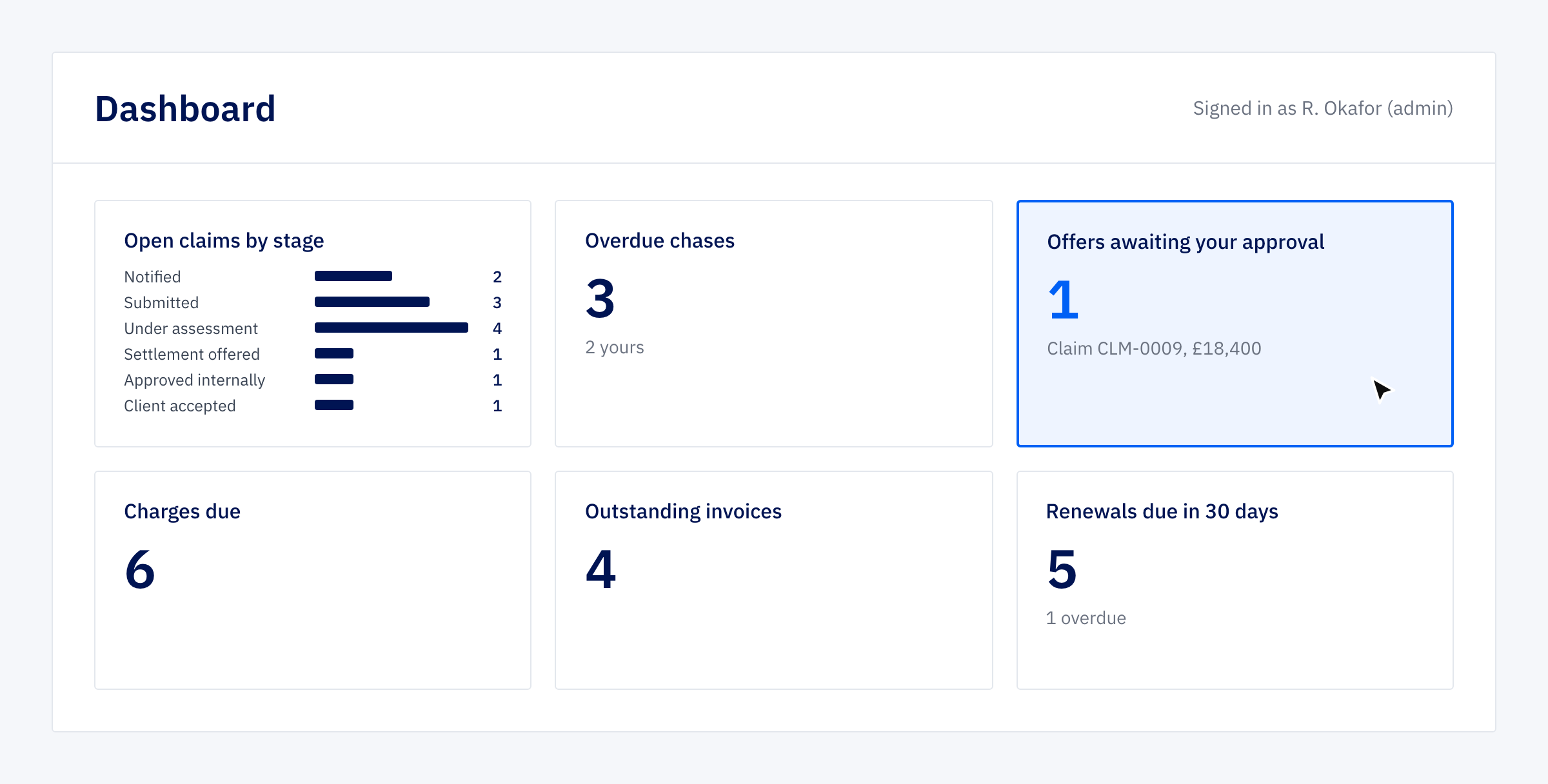
An admin’s dashboard has a tile for offers awaiting their approval, beside open claims by stage, overdue chases with their own first, instalments due and renewals coming up in the next 30 days. Each tile opens the list behind it, already filtered. The approval queue is the first thing on the screen after you log in, not something you remember to check.
A rule in the software, not beside it
A handbook rule depends on people remembering it under pressure, and the pressure is worst when the claim is big and the client is ringing. A rule in the software doesn’t care how busy the week has been. It also leaves a record: who recorded the offer, who approved it, when, and what the client said. For a small broker that is the difference between “we always get a second pair of eyes on it” and being able to show that you did, on this claim, on this date.
The same thinking runs through the rest of Shield. A renewal creates a new policy linked to the old one rather than editing the dates on the existing record, so claims and instalments stay with the term they belong to and a client’s cover history reads as a chain. The renewals page shows what is due in the next 30, 60 or 90 days with the overdue ones on the same screen. None of it is clever. It is the ordinary rules of a broker’s week, written down once in a place that enforces them.
Try it on a claim that isn’t real
Register at shield.moonfive.co.uk, load the sample data, and the dashboard will show one offer waiting for you. Approve it. Then open a claim with yourself as handler, record an offer, and watch the approve button refuse you.
Ready to see a sign-off rule you can’t tick past?
Shield is a working system you can try on demo data at shield.moonfive.co.uk. If your business has a step that is meant to need two people and currently needs one person and a tick box, it is a starting point we adapt to your own roles and stages.