

Ask an operations team what they already have and the answer is usually the same: a spreadsheet. One tab for properties, another for units, a column for the gas certificate date that somebody updates when they remember. It isn’t elegant, but it’s complete enough to run a portfolio on, and it’s the one place everyone trusts.
So when the same team looks at a new system, the first worry isn’t features. It’s the move. One operations manager at a housing charity put it to us plainly: they were looking for something more user friendly that they could easily import their property lists and details onto, and cost would be the main driving factor. Nothing in that is about a clever dashboard. They didn’t want to start from zero.
What moving a list used to mean
Our founder spent years in property management before building software, and the move looked the same every time. When a new block came in, its records arrived as hard copies posted or dropped off at the office, or as a ZIP file of spreadsheets and PDFs. When a list had to go from one system into another, somebody sat down and keyed it in, row by row.
That’s slow, and it’s also where mistakes get in. A transposed postcode or a flat number typed into the wrong column doesn’t announce itself. It sits there until a letter goes to the wrong door.
Spreadsheets that stay alive next to the main system cause their own trouble. A published review of a council’s safety and quality work, from June 2026, found that reliance on spreadsheets alongside its asset management system had led to discrepancies between compliance trackers and the supporting certificates, across gas, lifts, water and asbestos. Two records, kept by hand, drift apart.
Why the import shouldn’t just save what it’s given
The obvious way to build an import is to read the file and write every row. It’s quick to build and it’s the wrong design, because spreadsheets are full of things nobody has noticed: the same address typed two ways, a flat with no parent building, a certificate date that’s in the future.
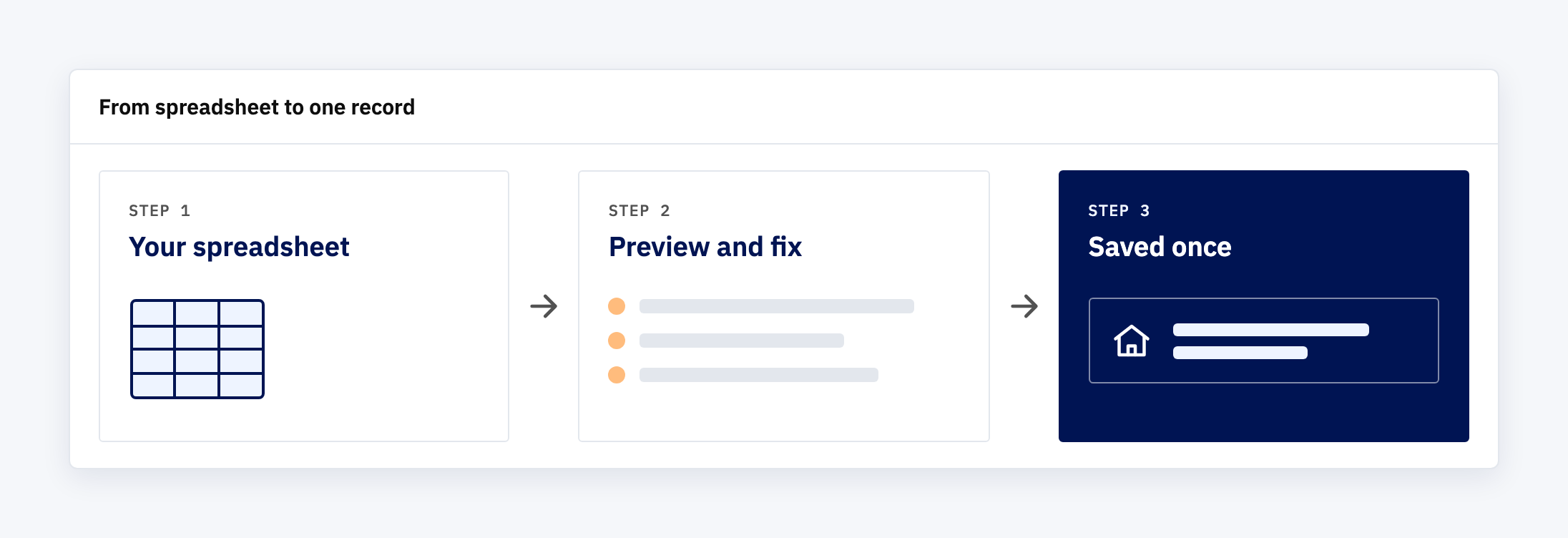
If the import saves all that without comment, you’ve moved the mess into the new system and made it harder to find. So we’d build it in the other order. Read the file first. Show what was found. Save nothing until the person importing has seen the result and said yes.
How we’d build it
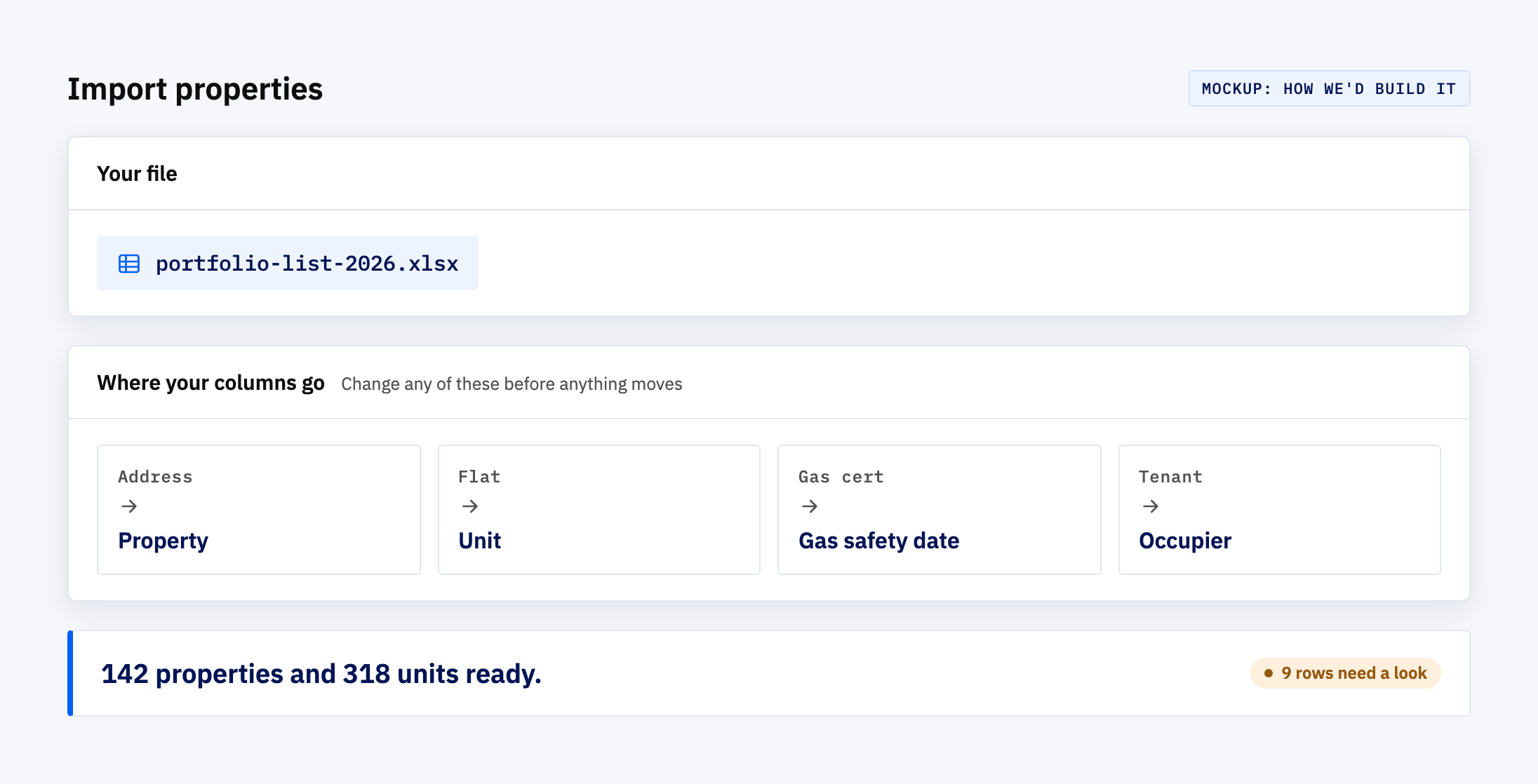
This is a mockup, not a screenshot. Habitat, our property management demo, has the real Property and Unit screens this would feed, but it has no import screen today, so if you book a demo you won’t see this one. It shows what we’d put in front of you for your own list.
- Column mapping. Your columns rarely match anyone else’s. The import suggests where each one belongs (“Flat” goes to Unit, “Gas cert” goes to Gas safety date) and lets you correct it before anything moves.
- A count before a commitment. A single line says how many properties and units it can read cleanly, and how many rows need a look.
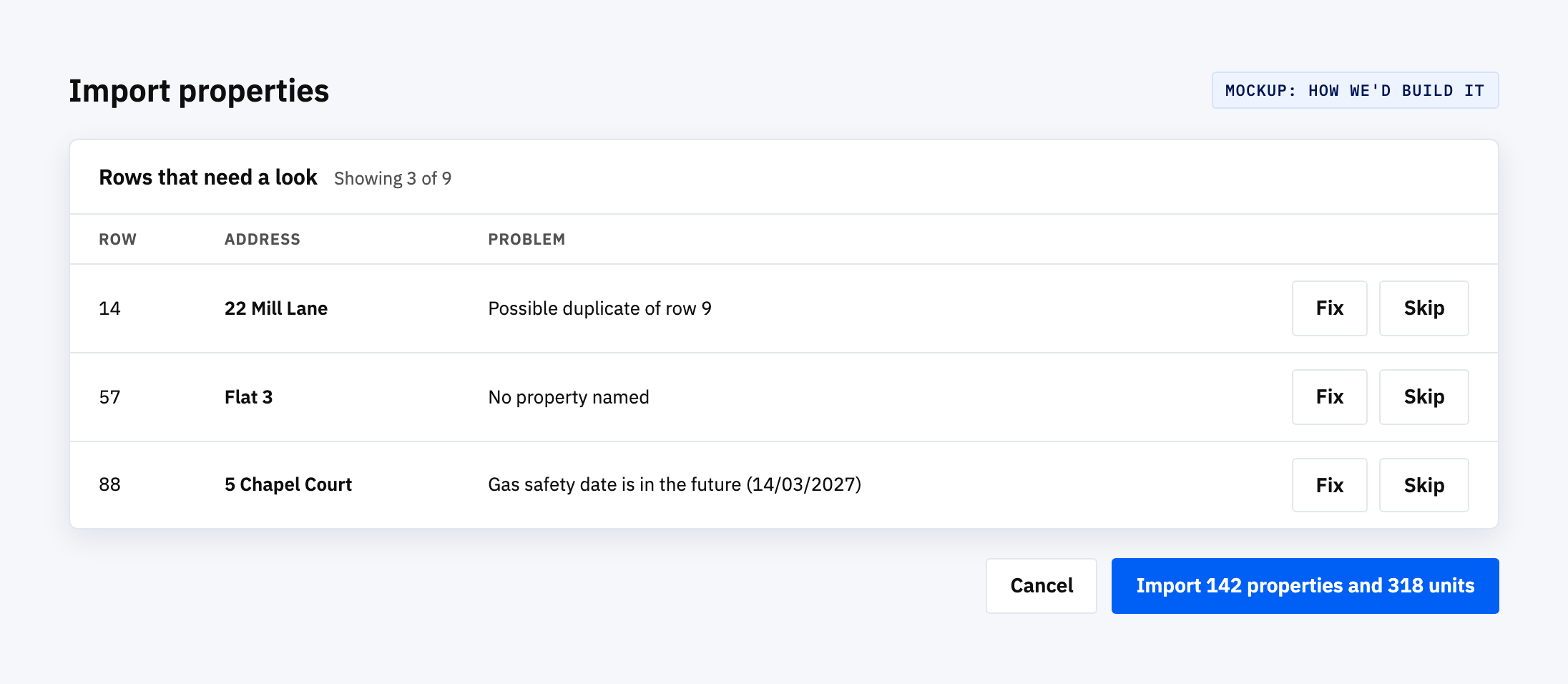
- Flagged rows with a reason. Each row it doesn’t trust is listed with why: a duplicate address, a unit with no property, a date that can’t be right. You fix it in the file or in the preview, whichever is quicker.
- Nothing saved until you confirm. Cancel at any point and the new system is exactly as empty as it was.
What the clean-up is really for
The bigger gain is that the tidying happens once, in one place. Otherwise the usual outcome is that the old spreadsheet stays open on someone’s second monitor “just in case”, and a year on there are two records again.
There’s a second benefit people don’t expect. Once the whole list sits in one place, it starts answering questions the spreadsheet never could. Which properties have no gas safety date at all? Which units belong to no property? You find out on the first day, not at the first inspection.
For a small team, that is most of what “user friendly” means: a system that doesn’t ask you to write down again what you’ve already written.
A careful team’s spreadsheet deserves better than a retype
A spreadsheet isn’t a failure. It’s what a careful team builds when nothing else fits, and it holds years of knowledge about the portfolio. Making people re-enter it by hand to get anywhere new is the part worth fixing.
Got a list that needs a proper home?
Talk to us about your spreadsheet. Bring it as it is, columns and quirks included, and we’ll show you what an import for it would look like.